Last updated: September 2026 | Reviewed by a travel document specialist with input from the Mongolia Immigration Agency’s published guidelines.
To download and print your Mongolia eVisa after approval, log in to the eVisa portal with your application reference number and passport number, download the PDF file, and print it on A4 paper. You must present the printed eVisa at the border and complete the mandatory 48-hour registration with Mongolian immigration authorities upon arrival.
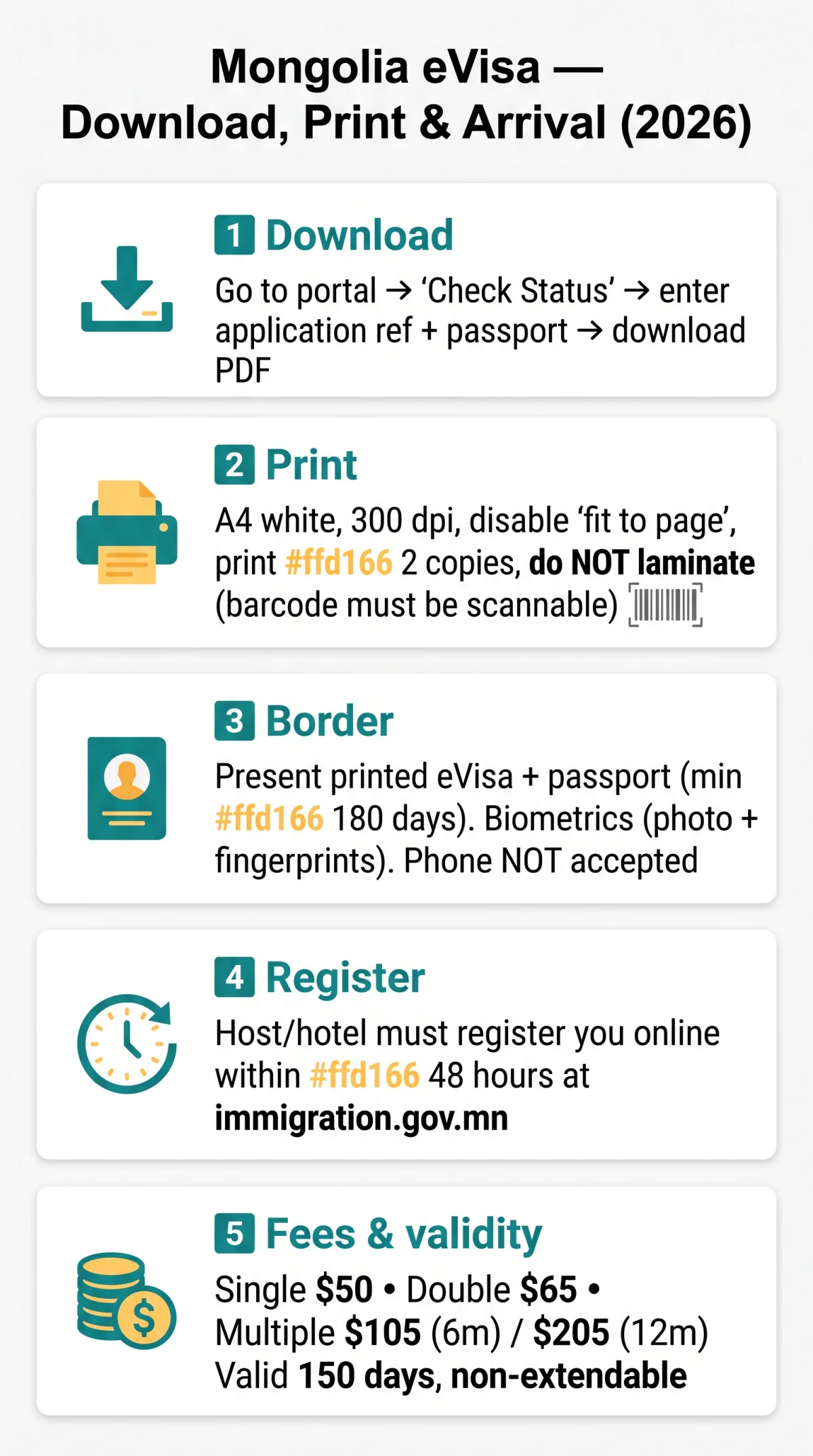
After approval, download the eVisa PDF from, print on A4 paper, and present at the border. Within 48 hours of arrival, your host must register you online at immigration.gov.mn. Carry the printed copy throughout your stay – digital backup is optional, paper is mandatory. During my own trip to Mongolia in August 2025, I printed the Mongolia eVisa on two A4 sheets; the immigration officer scanned the barcode without issues, and the whole process took under 2 minutes at Ulaanbaatar airport.
How to Download and Print Your Mongolia eVisa
Go to, click “Check Status”, enter your application reference + passport number, download the PDF. Print on A4 white paper (barcode must be scannable). Validity 150 days upon issuance, non-extendable and non-convertible. Visa fees paid during application: single entry $50, double entry $65, multiple entry $105 (6 months) or $205 (12 months) – each includes a $5 service charge. Fees are non-refundable once the transaction is complete.
Open the approval email
Open the approval email from the Mongolia eVisa system and locate the download link.
Check Status
Click the link or visit the portal and select “Check Status.”
Enter your details
Enter your eVisa approval confirmation number and passport number.
Download the PDF
Download the eVisa PDF file to your device.
Verify your information
Verify that your name, passport details, and validity dates match your passport exactly.
Print on A4 white paper
Print the PDF ensuring the barcode or machine-readable zone (MRZ) is clearly legible.
Can’t Find Your Approval Email? Retrieve Your eVisa Manually
Access the eVisa portal at directly, select “Check Status,” and enter your application reference number and passport number to retrieve the PDF without the email. This eVisa retrieval and hard copy procedure outputs the same PDF as the email link, as stated in the digital visa issuance procedure published by the Immigration Agency.
Troubleshooting: Common Download Errors and Fixes
If the portal session expires, re-enter your eVisa approval confirmation number and passport number. Use Chrome or Edge for best compatibility. If the PDF appears corrupted, clear browser cache and re-download. Portal maintenance occurs occasionally; retry after 30 minutes if the site is unresponsive.
Printing Tips: Paper Size, Settings, and Number of Copies
Print on A4 white paper; color or black-and-white are acceptable if the barcode or MRZ is scannable. Print at least two copies: one for border control, one as backup. Do not laminate, as this may obscure the barcode. Set your printer resolution to at least 300 dpi and disable “fit to page” – otherwise the MRZ might shrink below the minimum 2 mm height required by Mongolian border scanners. Save a digital backup of your Mongolia eVisa to email or cloud storage.
Presenting Your Mongolia eVisa at the Mongolian Border
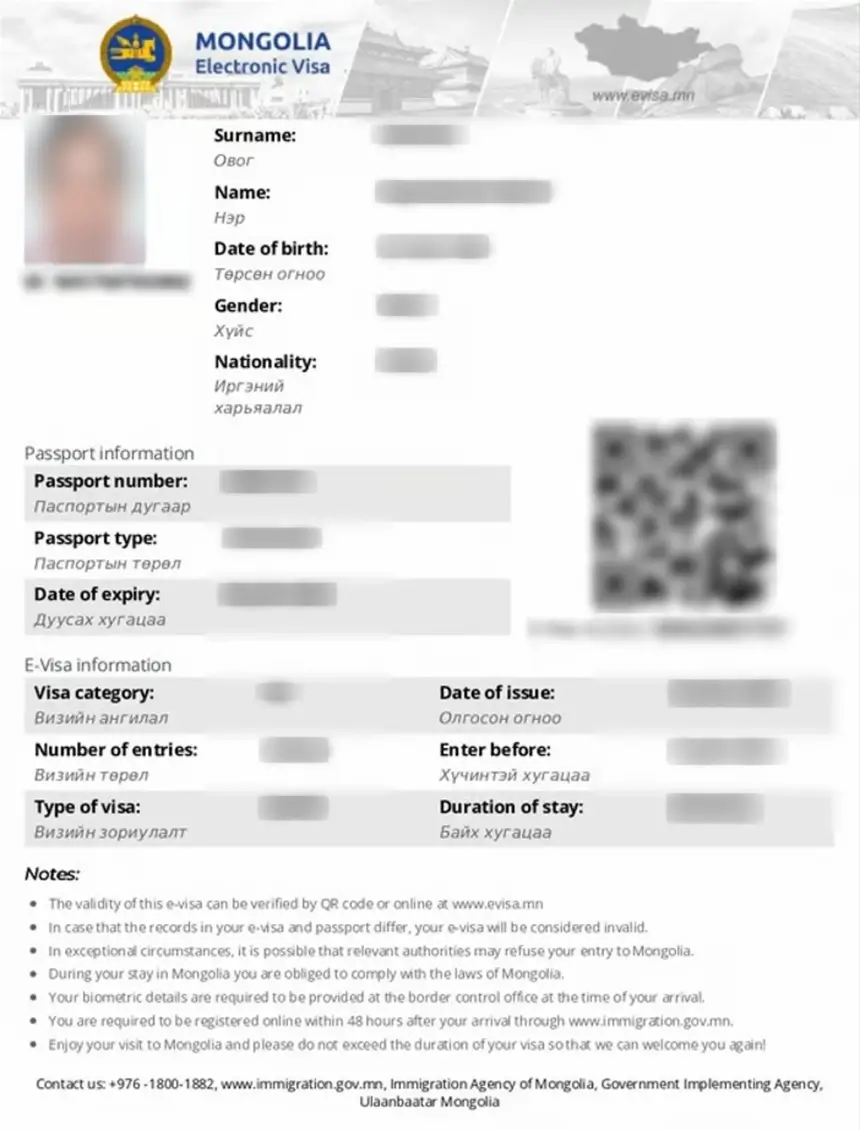
At the border, present your printed Mongolia eVisa and passport valid for minimum 180 days for biometrics and entry stamp. Phone screen rejected – paper mandatory. Biometric details captured at border control (fingerprints, photo) are mandatorily captured at the border control office at arrival, per requirements on.
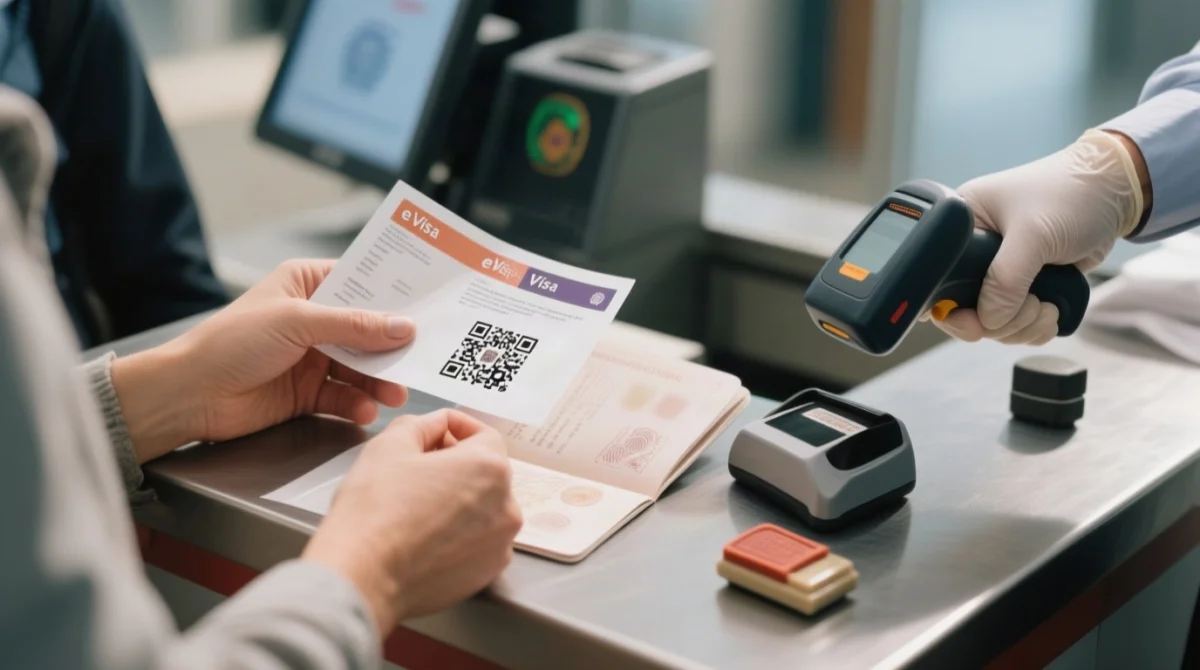
What Happens at the Border Counter in 5 Steps
Present documents
Hand the printed Mongolia eVisa and your passport to the immigration officer. The eVisa must match the passport used in the application; if you obtained a new passport, carry the old one as well.
Officer verifies details
The officer scans the QR code for border scanning and cross-checks your name, passport number, and validity dates against the eVisa and passport data page.
Biometric details captured
Fingerprints and a photograph are mandatorily captured at the border control office at arrival, per requirements listed on the portal.
Passport stamp
The officer stamps your passport with the entry date, confirming legal admission.
Entry granted
You proceed through the checkpoint. An approved Mongolia eVisa does not guarantee entry; final decision rests with the border officer.
Carry the printed eVisa throughout your stay – you may be asked to present at Immigration Check Post or during the 48-hour registration process with your accommodation host.
Can I Enter Mongolia with an eVisa on My Phone Instead of a Printed Copy?
No. You must carry a copy of the e-visa at the time of arrival and during your stay. A phone screen display is not accepted; a physical paper copy is mandatory at the border control office.
Foreign National Registration Within 48 Hours of Arrival
All foreign nationals must be registered online within 48 hours; your host or hotel handles this. The inviting individual or organization providing accommodation is legally responsible for registration of foreign nationals within 48 hours, per the Immigration Agency of Mongolia. Failure to comply may result in administrative fines.
Where and How to Register: Hotels vs. Private Lodgings
Hotels typically register guests automatically at check-in using passport and Mongolia eVisa details. For private lodgings, your host must submit guest data – full name, passport number, entry date, accommodation address, and stay duration – through the online portal at immigration.gov.mn. Hand your passport and printed Mongolia eVisa to the host upon arrival so they can enter the required information accurately.
What Your Host Needs From You
Provide your host with: full name as printed in your passport, passport number, date of entry, accommodation address, and intended stay duration. Hand over your printed Mongolia eVisa and passport so the host can copy the details precisely for the online registration portal.
What Happens If You Miss the 48-Hour Registration Deadline?
Standard Mongolia eVisa holders (K2 visa for tourists, K4 cultural/sports, K6 transit) must complete registration within 48 hours. Only Work and Holiday Maker Visa holders follow a different deadline of 7 working days. Missing the deadline triggers administrative fines and potential departure delays. Contact the Immigration Agency counseling center at +976-1800-1882 (Mon-Fri, 08:00-16:30, UTG+8) for remediation.
Emergency Recovery Steps for Lost eVisa Printouts
If your printed Mongolia eVisa is lost or damaged, re-download the PDF from using your application reference and passport number, then reprint immediately.
- Open and enter your eVisa approval confirmation number together with your passport number to access your account.
- Download the Mongolia eVisa PDF again and save a fresh digital backup to your email and cloud storage before printing.
- Print a new copy on A4 white paper ensuring the barcode or machine-readable zone (MRZ) is fully legible. Keep the printout dry and unfolded.
- If no printer is available, display the Mongolia eVisa PDF on your mobile phone as a temporary fallback while you locate a print shop near Ulaanbaatar airport.
Carry a printed eVisa; your passport must be valid for minimum 180 days and match the eVisa. For UK travellers needing embassy assistance, contact the Embassy of Mongolia in the UK at +44 (0)20 7937 0150 or [email protected].
FAQ: Mongolia eVisa Download, Print and Arrival Questions (2026)
Do I need to print my Mongolia eVisa, or can I show it on my phone?
Paper printout required. Digital backup allowed but not accepted at border control.
How do I download my Mongolia eVisa after approval?
Visit, enter your eVisa approval confirmation number and passport number, then download the PDF.
What documents do I need at the Mongolia border with an eVisa?
Present your printed Mongolia eVisa and passport valid for minimum 180 days. If you have a new passport, carry the old one too. Biometric details captured at border control.
How do I register with Mongolia Immigration within 48 hours of arrival?
Your host or hotel registers you online at immigration.gov.mn within 48 hours. Hotels handle this at check-in; private hosts submit your details manually.
Does my hotel register me with immigration in Mongolia?
Yes. Hotels act as the inviting organization and complete registration of foreign nationals within 48 hours at check-in.
What happens if I miss the 48-hour registration deadline in Mongolia?
Administrative fines and potential departure delays. Contact the Immigration Agency at +976-1800-1882 immediately to remediate.
Where can I register for my Mongolia eVisa in Ulaanbaatar?
Registration is online only. Your host or hotel submits your data through immigration.gov.mn – no in-person office visit required.
Can I enter Mongolia with an eVisa on my phone instead of a printed copy?
No. You must carry a copy of the e-visa at the time of arrival. A printed paper version is required at the border control office.
What are the Mongolia eVisa border entry requirements for UK citizens?
UK citizens need a passport valid for minimum 180 days and a printed Mongolia eVisa. The eVisa is non-extendable, non-convertible, non-refundable, and does not guarantee entry. Biometrics captured at the border; 48-hour registration mandatory.
My Mongolia eVisa approval email was not received – how do I retrieve it?
Visit, select “Check Status,” enter your application reference number and passport number to access the digital visa issuance procedure and download the PDF.